~/blog/ionos-dns-api
Managing DNS Programmatically with the IONOS API
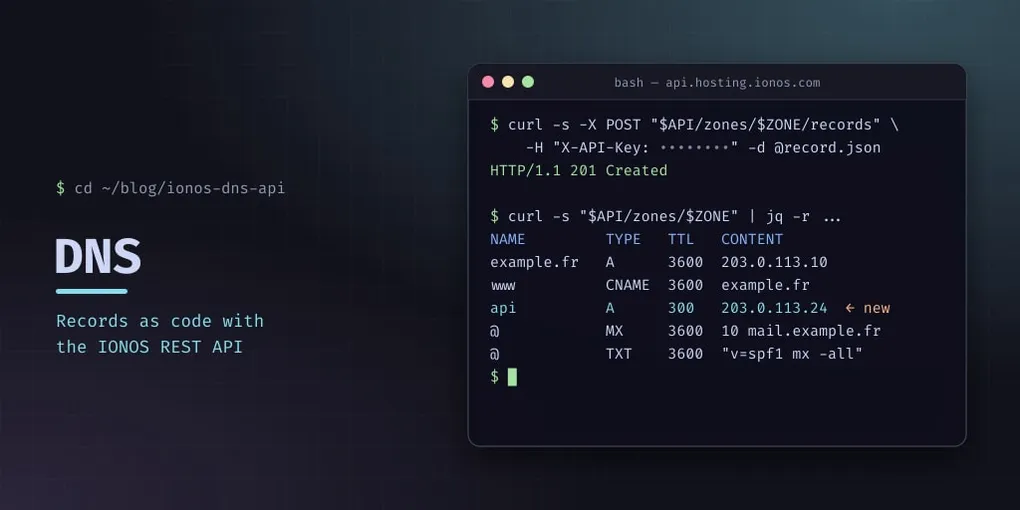
If you manage multiple domains and subdomains for a homelab, editing DNS records through a web UI gets old fast. The IONOS (formerly 1&1) DNS API lets you manage all your records programmatically — listing zones, adding A/AAAA/CNAME/MX/TXT records, and cleaning up old entries.
This post covers the API mechanics based on my own homelab setup, where I manage DNS for three domains across a dozen subdomains.
API Credentials
IONOS API keys come in two parts:
- A public prefix (UUID-style identifier)
- A secret key (long random string)
These are generated from the IONOS customer portal under API access. Store them securely — they grant full DNS management.
Authentication
The API uses X-API-Key header authentication. The value is the prefix and secret joined by a dot:
PREFIX="your-public-prefix"
SECRET="your-secret-key"
AUTH="X-API-Key: ${PREFIX}.${SECRET}"

curl -s "https://api.hosting.ionos.com/dns/v1/zones" \
  -H "$AUTH" -H "Accept: application/json"
HTTP Basic Auth (-u prefix:secret) returns “Missing or invalid credentials” — the X-API-Key header is the correct method.
Listing DNS Zones
curl -s "https://api.hosting.ionos.com/dns/v1/zones" \
  -H "$AUTH" | jq
Response:
[
  {
    "name": "tuxvador.fr",
    "id": "72f9874f-26e3-11ec-bda4-0a5864441f49",
    "type": "NATIVE"
  },
  ...
]
Each zone has a unique ID used for further operations. The type field indicates whether the DNS is managed by IONOS (NATIVE) or external (MASTER/SLAVE).
Reading Zone Records
ZONE_ID="72f9874f-..."
curl -s "https://api.hosting.ionos.com/dns/v1/zones/$ZONE_ID" \
  -H "$AUTH" | jq '.records[] | {name, type, content, ttl}'
Records include all standard fields: name, rootName, type, content, ttl, disabled, and a unique id for each record.
Adding Records via PUT (Full Zone Replace)
The simplest way to add records is to read the current zone, modify the record list, and PUT the entire zone back:
import urllib.request, json

BASE = f"https://api.hosting.ionos.com/dns/v1/zones/{ZONE_ID}"
HEADERS = {"X-API-Key": f"{PREFIX}.{SECRET}", "Content-Type": "application/json"}

# Read current records
req = urllib.request.Request(BASE, headers=HEADERS)
zone = json.loads(urllib.request.urlopen(req).read())

# Add a new record
zone["records"].append({
    "name": "api-test.tuxvador.fr",
    "type": "A",
    "content": "192.168.1.1",
    "ttl": 60
})

# PUT the updated zone
data = json.dumps(zone).encode()
req = urllib.request.Request(BASE, data=data, method="PUT", headers=HEADERS)
resp = urllib.request.urlopen(req)
Important: The PUT replaces ALL records. Always read the zone first, modify the array, then write it back. If you omit existing records, they’re deleted.
Deleting Individual Records
For targeted deletions, use the DELETE endpoint for a specific record:
ZONE_ID = "72f9874f-..."
RECORD_ID = "ad432f9a-b097-..."  # from a GET zone response

url = f"https://api.hosting.ionos.com/dns/v1/zones/{ZONE_ID}/records/{RECORD_ID}"
req = urllib.request.Request(url, method="DELETE", headers=HEADERS)
resp = urllib.request.urlopen(req)  # HTTP 200 = success
This is cleaner than PUT for removing specific records without touching the rest.
Limitations
The API key used here has DNS zone management permissions only. Creating new domain registrations (buying new domain names) returns UNAUTHORIZED — that requires the Domain API or an elevated token.
Available operations:
- ✅ List all zones
- ✅ Read all records in a zone
- ✅ Add records (via zone PUT)
- ✅ Delete individual records
- ❌ Create new DNS zones
- ❌ Register new domains
Use Case: Cleaning Up Old Services
In my setup, I had a Honcho service running on a subdomain with 11 DNS records (A, AAAA, MX, TXT, CNAME, autodiscover). After decommissioning the service, I deleted all records programmatically:
for honcho_id in record_ids:
    url = f"https://api.hosting.ionos.com/dns/v1/zones/{Z}/records/{honcho_id}"
    urllib.request.Request(url, method="DELETE", headers=HEADERS)
This is far faster than clicking through a web UI for a dozen records.
Security Notes
- API keys cannot be scoped to specific domains — they have full access to all your zones
- Store the key in your environment (e.g.,
~/.hermes/.env) rather than hardcoding it - The credentials are reusable across sessions — set
IONOS_API_PREFIXandIONOS_API_SECRETin your env - DNS changes take effect immediately via the API’s backend
Full Workflow Script
Here’s a complete script to list all records across all your zones:
import urllib.request, json

PREFIX = "your-prefix"
SECRET = "your-secret"
HEADERS = {"X-API-Key": f"{PREFIX}.{SECRET}"}

# List all zones
req = urllib.request.Request(
    "https://api.hosting.ionos.com/dns/v1/zones", headers=HEADERS)
zones = json.loads(urllib.request.urlopen(req).read())

for z in zones:
    req = urllib.request.Request(
        f"https://api.hosting.ionos.com/dns/v1/zones/{z['id']}", headers=HEADERS)
    zone_data = json.loads(urllib.request.urlopen(req).read())
    print(f"\n## {z['name']}")
    for r in zone_data.get("records", []):
        if r["type"] not in ("NS", "SOA"):
            print(f"  {r['name']:40s} {r['type']:6s} {r['content']:40s}")
The IONOS DNS API is well-suited for homelab automation — simple auth, RESTful design, and immediate effect. Combined with CI/CD or a cron job, you can manage dynamic DNS, service discovery, and infrastructure documentation entirely through code.