~/blog/crowdsec-daily-email-reports
Automated Daily CrowdSec Reports via Email
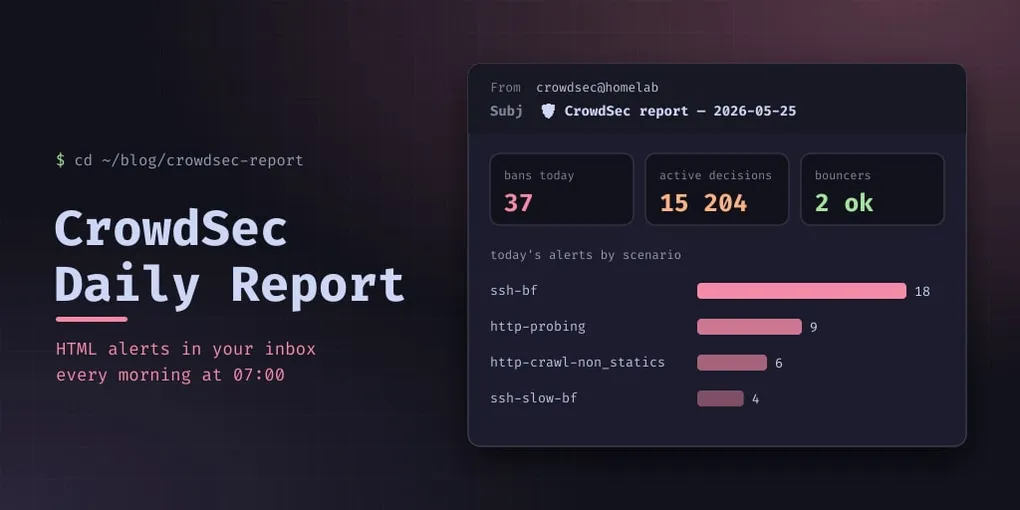
If you run CrowdSec in your homelab, you probably check the dashboard occasionally to see what’s being blocked. But the real value is in passive monitoring — getting a daily summary pushed to you so you don’t have to remember to check.
This post walks through setting up an automated CrowdSec report delivered to your email every morning. The approach uses:
csclifor data extraction (alerts, decisions, metrics)- A Python script to format everything into a responsive HTML email
- Postfix relaying through Gmail SMTP for reliable delivery
- A root crontab for daily scheduling
What the Report Contains
The report is an HTML email with a dark theme (Catppuccin Mocha) that renders well on mobile. It includes:
- System status — disk usage, RAM, uptime
- Today’s alerts — grouped by scenario with counts, plus top attacker countries with flag emojis
- All-time top scenarios — top 25 most triggered detections since CrowdSec started
- Active decisions — total bans with CAPI (community blocklist) vs local engine breakdown
- Per-bouncer metrics — bytes and packets dropped by each bouncer (ct-102-nginx, proxmox-firewall)
- Scenario triggers — overflows, instances, events poured per scenario
- Parser activity — which parsers hit what volume
- Log sources — what’s being ingested with whitelist stats
Prerequisites
- CrowdSec installed and running with LAPI enabled
- Postfix installed (
apt install postfix) - Gmail account with an App Password generated (not your regular password)
Step 1: Configure Postfix for Gmail SMTP Relay
Postfix needs to relay outgoing mail through Gmail’s SMTP server since your homelab IP is private (RFC1918) and can’t deliver directly.
# Install SASL modules for authentication
apt install -y libsasl2-modules

# Configure Postfix
postconf -e 'relayhost = [smtp.gmail.com]:587'
postconf -e 'smtp_tls_security_level = encrypt'
postconf -e 'smtp_sasl_auth_enable = yes'
postconf -e 'smtp_sasl_password_maps = hash:/etc/postfix/sasl_passwd'
postconf -e 'smtp_sasl_security_options = noanonymous'
postconf -e 'inet_protocols = ipv4'

# Store credentials
echo '[smtp.gmail.com]:587 your.email@gmail.com:your_app_password' > /etc/postfix/sasl_passwd
chmod 600 /etc/postfix/sasl_passwd
postmap /etc/postfix/sasl_passwd

# Restart
systemctl restart postfix
Key details:
inet_protocols = ipv4is necessary if your container only has link-local IPv6. Without it, Postfix tries IPv6 first and gets “Network is unreachable”.- The credentials are stored in a hashed database (
sasl_passwd.db), not plaintext. - Postfix listens on localhost only (
inet_interfaces = loopback-only), so only local scripts can send mail.
Step 2: The Report Script
The report script is a Python script that calls cscli to gather data and builds an HTML email with both text/plain and text/html MIME parts (for email clients that don’t render HTML).
Core Logic
import subprocess, json, datetime
from collections import Counter

# Get today's alerts from LAPI
raw = subprocess.run(
    ["cscli", "alerts", "list", "-a", "--json"],
    capture_output=True, text=True, timeout=30
)
data = json.loads(raw.stdout)
today_alerts = [a for a in data
    if a.get("created_at", "").startswith(datetime.date.today().isoformat())]

# Group by scenario
reasons = Counter(a.get("scenario", "unknown") for a in today_alerts)
The script then builds an HTML table of alerts grouped by scenario, a country breakdown, and a metrics table parsed from cscli metrics output.
Sending as HTML Email
Standard sendmail only handles plain text. For HTML, use Python’s email module:
import email.mime.multipart, email.mime.text

msg = email.mime.multipart.MIMEMultipart("alternative")
msg["Subject"] = f"CrowdSec Daily Report — {hostname} — {date}"
msg["From"] = f"CrowdSec Reporter <root@tuxvador.fr>"
msg["To"] = "you@email.com"

part1 = email.mime.text.MIMEText(plain_text, "plain")
part2 = email.mime.text.MIMEText(html_content, "html")
msg.attach(part1)
msg.attach(part2)

p = subprocess.Popen(["/usr/sbin/sendmail", "-t", "-f", SENDER],
                     stdin=subprocess.PIPE)
p.communicate(msg.as_bytes())
The alternative multipart type tells email clients to prefer HTML but fall back to plain text if HTML isn’t supported.
Step 3: Schedule It
Add a crontab entry for root (since cscli needs access to the LAPI socket):
echo '0 8 * * * /usr/local/bin/crowdsec-report.py > /dev/null 2>&1' | crontab -This runs daily at 08:00. The email arrives in your inbox within seconds.
What a Sample Report Looks Like
The email is styled with a Catppuccin Mocha dark theme:
Subject: CrowdSec Daily Report — SECURITY — 2026-05-25

┌────────────────────────────────────────────────────────┐
│  🛡️ CrowdSec Security Report                         │
│  SECURITY — 2026-05-25                                │
├────────────────────────────────────────────────────────┤
│  🚨 Today: 24 alerts                                  │
│  http-probing          8    http-bad-user-agent   5    │
│  http-sensitive-files  3    http-wordpress-scan    3    │
│  ...                                                  │
│  🇺🇸 US 5  🇨🇳 CN 3  🇷🇺 RU 2  🇳🇱 NL 2              │
│                                                        │
│  🔨 Active decisions: 29,951 (29,931 bans)            │
│  CAPI: 29,930  Local engine: 21                       │
│                                                        │
│  🛡️ ct-102-nginx: 28K dropped │ proxmox-firewall: 3  │
│  ⚡ Overflows: http-probing(19) http-bad-user(22) ... │
└────────────────────────────────────────────────────────┘
On mobile (Gmail app), it renders as a clean card-based layout with the dark background.
Troubleshooting
SASL authentication failed
# Install missing modules
apt install libsasl2-modules

# Verify sasl_passwd is hashed correctly
postmap -q '[smtp.gmail.com]:587' hash:/etc/postfix/sasl_passwd
Connection timed out on port 587
If your container has no IPv6 connectivity:
postconf -e 'inet_protocols = ipv4'
systemctl restart postfix
Mail stuck in queue
# Check queue
mailq

# Flush
postqueue -f

# Remove stuck messages
postsuper -d ALL

# Check logs
journalctl -u postfix -n 20 --no-pager
Log Acquisition Configuration
CrowdSec only analyzes logs you tell it to read. The acquisition config at /etc/crowdsec/acquis.d/ defines which files and their log type.
Each log type maps to a parser chain. Standard syslog sources (SSH, Postfix, system logs) use type: syslog which goes through syslog-logs → dispatches to child parsers based on the program name (e.g., sshd or postfix/smtpd).
Some services use non-standard log formats. For example, Proxmox PVE daemon logs use RFC3339 timestamps (2025-12-23T04:07:45+01:00) instead of traditional syslog format. These need a separate type label:
---
# Standard syslog sources
filenames:
  - /var/log/remote/proxmox/postfix.log
  - /var/log/syslog
labels:
  type: syslog
---
# Non-syslog source (RFC3339 timestamps)
filenames:
  - /var/log/remote/proxmox/pvedaemon.log
  - /var/log/remote/proxmox/pveproxy.log
labels:
  type: pvedaemon
With type: pvedaemon, the log bypasses syslog-logs and goes through the non-syslog handler, which sets evt.Parsed.program = "pvedaemon" from the label directly. The fulljackz/proxmox-logs parser can then match on it.
To verify your parsers are active:
cscli metrics | grep -A20 'Acquisition'You should see all your log sources with “Lines parsed” > 0 for those with active parsers.
Going Further
- Customize the report — add firewall metrics, Grafana alert status, or certificate expiry dates
- Multiple recipients — add more addresses to the script’s recipient list
- Weekly digest — instead of daily, change the crontab to
0 8 * * 1(Mondays only) - HTML template — inject Grafana dashboard screenshots via browser screenshots
The full script is available on the SECURITY container at /usr/local/bin/crowdsec-report.py.