~/blog/homelab-patching-ansible-unattended-upgrades
Patching a Homelab: Security Updates Automatic, Everything Else on Purpose
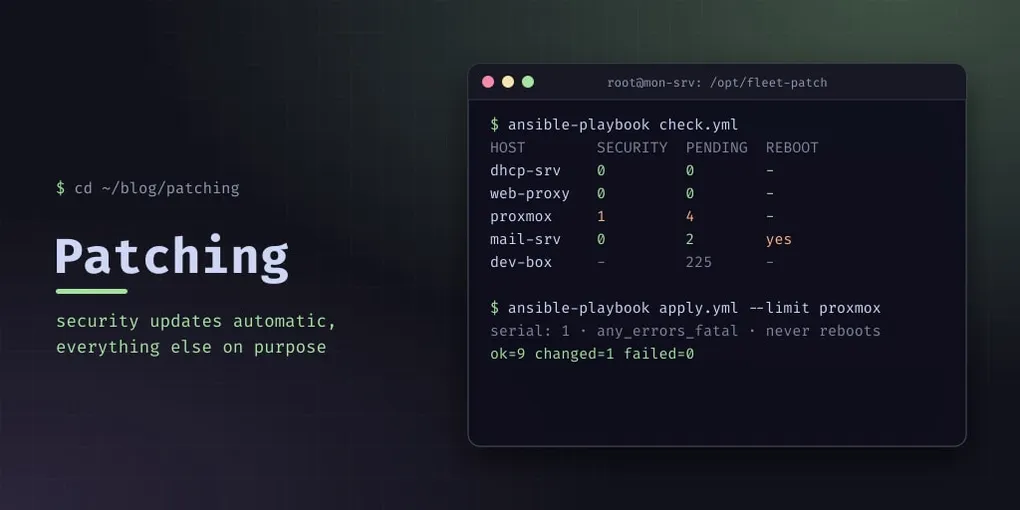
When I installed a vulnerability scanner, the first question it answered wasn’t about vulnerabilities. It was about me: apart from the public server, no machine in the lab updated itself. Everything got patched when I remembered to run apt upgrade, which in practice meant when something else broke. The same libexpat1 security fix was pending on all ten hosts.
The fix wasn’t “turn on automatic updates everywhere”. Different machines can afford different failure modes, so this post is a policy first and tooling second.
The policy
| Machines | Updates | Why |
|---|---|---|
| Containers | Debian-Security, automatically, every morning. Nothing else. | Security updates on Debian stable are small and conservative. A container that breaks affects one service. |
| Proxmox host | Manual, through a playbook | A kernel or pve-* update can need a reboot, and rebooting the host restarts every container. |
| Public server | Debian’s defaults (security + point releases), automatically | It faces the internet, so it was already set up this way and stays that way. |
| Dev laptop (Kali, rolling) | Report only | Rolling releases break things on their own schedule. I want to see the count, not have it change under me. |
| Third-party repos (Grafana, Wazuh, Docker) | Never automatic | Their upgrades change behaviour, not just fix bugs. Wazuh’s server and agents must be upgraded in a specific order. |
Two rules sit across the whole table: nothing reboots automatically, and packages that need ordering are held (apt-mark hold), so neither the timer nor I can upgrade them by accident.
Containers: unattended-upgrades, narrowed
Debian’s unattended-upgrades is the right tool. Its default origins include point releases, though, and I wanted security only. A drop-in file that sorts after Debian’s 50unattended-upgrades replaces the list:
// /etc/apt/apt.conf.d/52fleet-security-only
#clear Unattended-Upgrade::Origins-Pattern;
Unattended-Upgrade::Origins-Pattern {
        "origin=Debian,codename=${distro_codename}-security,label=Debian-Security";
        "origin=Debian,codename=${distro_codename},label=Debian-Security";
};
Unattended-Upgrade::Automatic-Reboot "false";
Unattended-Upgrade::Remove-Unused-Dependencies "false";
Unattended-Upgrade::SyslogEnable "true";
#clear is the line that matters. Without it, apt merges lists, and your origins are added to Debian’s instead of replacing them. Yes, it is a directive that looks like a comment.
20auto-upgrades switches the daily run on (APT::Periodic::Unattended-Upgrade "1";), and apt-daily-upgrade.timer runs it around 06:00. Then check what it will actually allow:
unattended-upgrade --dry-run --debug 2>&1 | grep -A3 "Allowed origins are"On my monitoring container that showed only the Debian-Security origins, and the Wazuh repository marked “not allowed”. That second part is the one I wanted to see.
Everything else: an Ansible playbook
The monitoring container already had SSH keys to every host, so it became the Ansible controller: ansible-core from Debian, an inventory with four groups (containers, pve, public, laptop), and three playbooks:
check.ymlis read-only: pending updates, the security count, held packages and the reboot flag for every host.apply.ymlupgrades.auto-security.ymlinstalls the unattended-upgrades setup above on the containers.
apply.yml is built to stop rather than continue:
- name: Upgrade
  hosts: "{{ target | default('patchable') }}"
  serial: 1                  # one host at a time
  any_errors_fatal: true     # first failure stops the run
  tasks:
    - name: Failed units before
      ansible.builtin.command: systemctl list-units --failed --plain --no-legend --no-pager
      register: failed_before
      changed_when: false
      check_mode: false

    - name: Upgrade
      ansible.builtin.apt:
        upgrade: dist
        dpkg_options: force-confdef,force-confold

# ...then "Failed units after", and fail if the difference is not empty- One host at a time, fatal on error. A bad package breaks one machine, not ten.
- A new failed systemd unit counts as a failure. An upgrade that “succeeds” but leaves a service dead is the dangerous kind.
force-confoldkeeps local config files. An unattended run should never stop at a dpkg prompt, or silently replace a config I edited.- It never reboots. It prints
/var/run/reboot-required.pkgsper host, and I decide. - The laptop is excluded by default. It only runs with
-e target=<name>.
Running it on the Proxmox host the first time installed four packages with no reboot needed, no new failed unit, and all containers still running.
The dry run that listed nothing
ansible-playbook apply.yml --check printed an empty package list on every host. In check mode, Ansible skips command tasks, because it can’t know they’re harmless, and my “what’s pending” step was a command. Read-only tasks need check_mode: false to run during a dry run. Without it, the dry run tells you nothing is pending.
Making a missed update visible
A policy you can’t see is a policy you’ll stop checking. Debian’s prometheus-node-exporter-collectors adds an apt collector to node-exporter, which writes apt.prom every 15 minutes:
apt_upgrades_pending{arch="amd64",origin=". stable:stable/stable"} 1
node_reboot_required 0
One series per origin with something pending. Security origins contain -security, which is what the queries below filter on. This example is the Grafana repository, which is never upgraded automatically.
Install it without recommends. With them, ipmitool pulls in openipmi, whose init script fails at every boot in a container that has no IPMI hardware. I found that as a mysterious failed unit on one host.
One PromQL detail took a while: a host with nothing pending has no apt_upgrades_pending series at all, so it disappears from tables instead of showing 0. Zero-fill it from a series every host has:
sum by (host) (apt_upgrades_pending{origin=~".*-security.*"})
  or on (host) 0 * max by (host) (node_reboot_required)
Grafana’s Fleet Overview now has an Updates section: security updates pending, hosts needing a reboot, all pending updates per server, and the laptop’s count on its own.
And one alert, Security Updates Pending: Debian-Security updates pending on a host for 72 hours. On a container that means unattended-upgrades is broken, since it should have run three times. On the Proxmox host or the public server, it means it’s time to run the playbook.
Two small things keep it honest:
apply.ymlrestarts the apt collector after upgrading, so the dashboard updates at the next scrape. Otherwise it shows the old count for up to 15 minutes, and you think the patch failed.- The same package turned on SMART metrics on the Proxmox host, where
smartmontoolswas already installed. That turned out to matter: the host’s SSD is failing.
Pitfalls
#clearis not a comment. Without it your origins are added to Debian’s, not substituted.- Check the allowed origins with
--dry-run --debug, especially that third-party repos are refused. --checkskipscommandtasks. Read-only tasks needcheck_mode: false.- Hold packages that must be upgraded in order. An agent newer than its server gets refused.
- Install
prometheus-node-exporter-collectorswithout recommends in containers. - No series is not zero. Zero-fill per-host metrics, or hosts with nothing pending vanish from tables.
- Automatic reboots are a decision, not a default. On a hypervisor, a reboot is an outage for everything on it.