~/blog/crowdsec-bouncer-locked-me-out
CrowdSec Locked Me Out of My Own Server
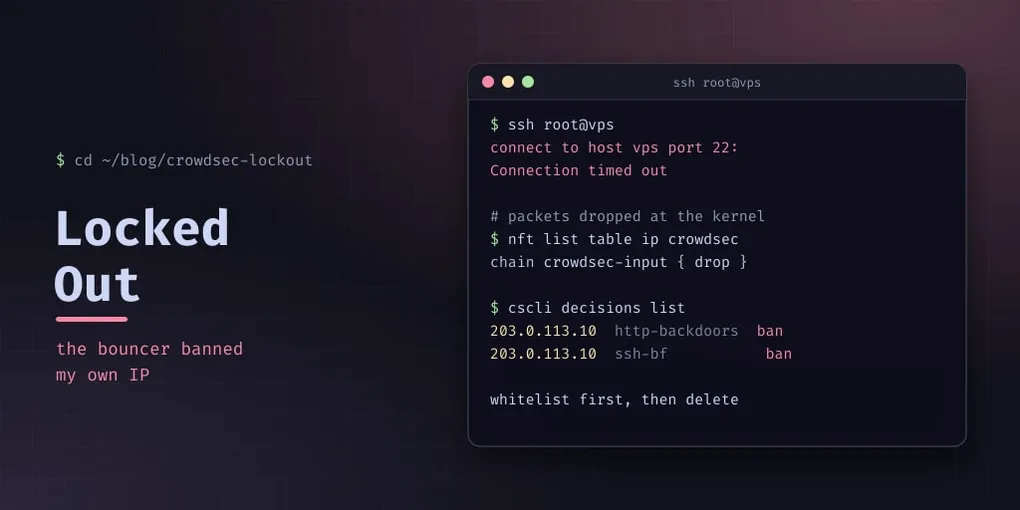
CrowdSec is one of the better things to happen to self-hosting. It reads your logs, recognises attack patterns, and blocks repeat offenders at the firewall — and the community blocklist means an attack on someone else’s server protects yours.
It is also an intrusion-prevention system with the authority to block any IP, and there is nothing in the design that says your IP is special. Here is how it locked me out of my own server, and what I changed so it cannot happen again.
What happened
All at once: SSH sessions died mid-command, the web interface stopped responding, and every new connection timed out. Not refused — timed out, which is the signature of a packet filter with no rule to answer you.
The homelab reaches its VPS from a single public IP. All my traffic — SSH, HTTP, the monitoring scraper — appears to that server as one address. When a CrowdSec scenario on the VPS decided that address was an attacker, the firewall bouncer dropped everything from it at the kernel level. SSH is not exempt from a packet filter. Neither is anything else.
The scenarios that catch this are ordinary ones:
crowdsecurity/ssh-bf                     brute-force SSH
crowdsecurity/http-backdoors-attempts    probing for known backdoors
crowdsecurity/http-crawl-non_statics     aggressive crawling
crowdsecurity/http-sensitive-files       hunting for .env, .git
crowdsecurity/http-cve-2021-41773        a specific exploit attempt
Add a monitoring script that retries a failing check every 30 seconds, or a few failed logins after a key rotation, and you have written the pattern that trips one of these. The system did exactly what it was configured to do.
Getting back in
Two routes, and it is worth knowing both before you need them.
From an IP that is not banned. A phone on mobile data, another server, anything outside the blocked range. SSH in, remove the decision, and add the whitelist. This is the easy path and the reason to keep an out-of-band way in.
From the host’s console. When there is no unblocked IP available, a hardware reset from the hosting provider’s console works, because the bouncer’s rules live in kernel memory and are not persisted across a reboot. The machine comes up with an empty ruleset — and then the bouncer starts about ten seconds later and pulls the existing decisions from the API, re-banning you. So the window is short and deliberate: boot, log in immediately, add the whitelist rule.
# the accept rule has to go in before the decision re-propagates
nft insert rule ip crowdsec crowdsec-input ip saddr { 10.99.99.0/24, 203.0.113.10 } accept
nft list ruleset > /etc/nftables.conf
Then remove the decision itself, or it comes back on the next refresh:
cscli decisions delete -i 203.0.113.10Deleting the ban without whitelisting just means it happens again at the next matching event. The whitelist is the fix; the deletion is cleanup.
Two layers, and only one of them is durable
This is the part I got wrong the first time, and the part worth taking away.
Layer 1 — the parser whitelist, on the CrowdSec instance that makes decisions. Add your own addresses to the enrichment whitelist so the decision is never created:
# /etc/crowdsec/parsers/s02-enrich/whitelists.yaml
name: crowdsecurity/whitelists
whitelist:
  - "203.0.113.10/32"      # the lab's public IP
  - "10.99.99.0/24"        # the internal range
A whitelisted IP is not evaluated, so no alert, no decision, nothing to enforce. This is the durable layer — it lives in CrowdSec’s own configuration and nothing recreates it behind your back.
Layer 2 — an accept rule in the bouncer’s firewall chain. A second chance for traffic the first layer somehow missed:
nft insert rule ip crowdsec crowdsec-input ip saddr { 10.99.99.0/24, 203.0.113.10 } accept
nft list ruleset > /etc/nftables.conf
systemctl enable nftables
Useful, and not durable. The bouncer flushes and recreates its own tables on every restart or upgrade, which deletes a manually inserted rule. Saving the ruleset to /etc/nftables.conf does not save you either, because the bouncer builds its table from scratch after boot. After any bouncer restart, the accept rule has to be re-inserted.
I had the second layer and assumed it was the protection. It is a bonus.
Four traps that cost real time
The chain name changed between bouncer versions. In older releases the chain was crowdsec; from v0.0.34 it is crowdsec-input. A stored command from a blog post written against the old version inserts a rule into a chain that no longer exists, and nft reports nothing — the rule is simply absent. Confirm the chain name on your own system before trusting any snippet, including this one:
nft list tables
nft list table ip crowdsec
The fish shell breaks nft set syntax. { 10.99.99.0/24, 203.0.113.10 } is a brace expansion to fish, which strips the braces and hands nft something invalid. Run it through bash -c — and, more generally, check which shell is actually interpreting your commands when something “works in the terminal” but not in a script.
The unit name is legacy. The bouncer’s systemd unit is crowdsec-firewall-bouncer.service. Some documentation refers to crowdsec-firewall-bouncer-nftables.service, which does not exist on current packages — so systemctl is-active on that name reports inactive while the bouncer is running and blocking. Before concluding a service is down, find the real unit: systemctl list-units | grep crowdsec.
Blocking is invisible when it is your own traffic. Nothing in the server’s logs says “your IP is banned” — the packets are dropped before anything can log them. If access dies all at once and connections time out rather than being refused, think packet filter first.
What I would do differently
Whitelist your own egress addresses on day one, before you need them. The failure mode of a misconfigured whitelist is an alert you ignore; the failure mode of a missing one is losing access to the machine that would let you fix it.
Keep an out-of-band path — a console, a second IP, mobile data. Any system that can block your only route in will eventually use that power, and “eventually” tends to mean a Saturday.
And know which layer persists. A firewall rule and a decision engine are two different kinds of protection, and only one of them survives a service restart.