~/blog/self-hosted-push-notifications-ntfy
Self-Hosted Push Notifications with ntfy
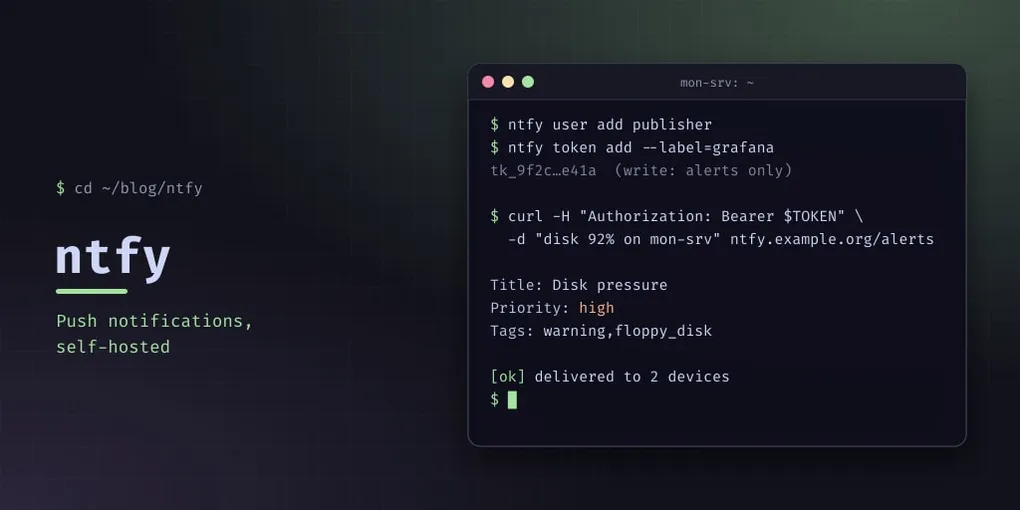
Every self-hosted stack eventually needs to tell you something. A disk is filling, a host stopped sending logs, someone joined the guest WiFi, CrowdSec banned an IP. Email is too slow to read and too easy to ignore, and a cloud push service means your alerts — which contain your hostnames, your IPs, your service names — travel through somebody else’s infrastructure.
ntfy is a single Go binary that does pub/sub push notifications over plain HTTP, with apps for Android and iOS. It is the least interesting piece of my monitoring stack and the one I use most.
Install and configure
apt install ntfyThe distribution package puts the server config in /etc/ntfy/server.yml. The defaults are wide open, so the config is mostly about closing things:
base-url: "https://ntfy.example.org"

listen-http: "0.0.0.0:2586"
behind-proxy: true

cache-file: "/var/cache/ntfy/cache.db"
cache-duration: "24h"

auth-file: "/var/lib/ntfy/user.db"
auth-default-access: "deny-all"

enable-signup: false
enable-login: true
enable-reservations: false

attachment-cache-dir: "/var/cache/ntfy/attachments"
attachment-total-size-limit: "1G"
attachment-file-size-limit: "5M"
attachment-expiry-duration: "24h"
auth-default-access: deny-all is the setting that matters. ntfy’s default model is open: anyone who knows a topic name can read it and publish to it. Topic names are guessable — alerts, camera, backup — so “open” means “public” in a way that only becomes obvious when someone else finds it. deny-all inverts it: every topic requires an explicit user or token grant, and nothing is readable by guessing.
enable-signup: false closes the registration endpoint, which otherwise lets anybody create an account on your server. And behind-proxy: true matters when ntfy is behind nginx: without it the rate limiter sees every request as coming from your proxy’s IP, so one noisy client rate-limits everybody. With it, ntfy trusts X-Forwarded-For and applies limits per real client.
Do not expose the port
ntfy listens on 2586, and that port should not be reachable from the internet. Put it behind your reverse proxy and restrict it at the firewall:
# only the reverse proxy may reach ntfy
chain input {
  ip saddr { 10.99.99.11 } tcp dport 2586 accept    # the proxy
  ip saddr 127.0.0.1 tcp dport 2586 accept
  tcp dport 2586 drop
}
ntfy’s own auth is good, but an internet-reachable endpoint is an internet-reachable endpoint. If the only thing that needs to reach it is the proxy, say so at the packet level.
Accounts, tokens and topics
ntfy user add --role=admin admin
ntfy user add publisher

# a token for a machine that only publishes
ntfy token add --label=grafana publisher

# let that user publish to one topic, and nothing else
ntfy access publisher alerts write-only
Per-topic grants are the point: the Grafana alerting hook gets a token that can publish to alerts and nothing else. If that token leaks — and tokens in config files do leak — the blast radius is “someone can send you a notification”, not “someone can read every alert you receive”.
Publishing
Publishing is an HTTP POST, which means anything that can run curl can notify you. On an open server this is enough; with deny-all the request also needs credentials, as in the next example:
curl -d "Disk on mon-srv is at 92%" https://ntfy.example.org/alertsWith a token and some structure:
curl -H "Authorization: Bearer $TOKEN" \
     -H "Title: Disk pressure" \
     -H "Priority: high" \
     -H "Tags: warning,floppy_disk" \
     -d "mon-srv: / at 92% (5.1 GB free)" \
     https://ntfy.example.org/alerts
Priority sets how insistent the notification is: default is a normal notification, high adds a long vibration and a pop-over, and urgent is for things that cannot wait. Tags render as an icon and colour in the app, which is how you tell a warning from an informational message at a glance on a lock screen.
Subscribing is the same URL over a long-lived connection — curl -s https://ntfy.example.org/alerts/json streams JSON lines, which is handy for debugging from a terminal without the app.
What I actually wire into it
- Grafana alerting — a contact point with a dedicated token. Every alert rule lands in one topic.
- Wazuh — security alerts of level 12 and above, through a small integration script with its own write-only token and topic. Below 12 they stay on the dashboard; see the Wazuh post for why that threshold.
- WiFi access point events — joins and leaves on the guest network.
- Backups and cron jobs — the jobs that fail silently are the ones that need to say so. This one is still on my list: the weekly container backup reports only to the Proxmox task log.
That last category is the real value. Notifications are not mostly about disk graphs; they are about the jobs whose failure mode is silence.
Pitfalls
- The default access model is open. Set
auth-default-access: deny-allbefore the service ever sees the internet, and grant per topic. enable-signupleft on lets anyone create an account. Turn it off.- Forgetting
behind-proxyturns per-client rate limiting into a global one. cache-duration: 24hmeans history is short. A client offline for two days misses everything in between — the server keeps 24 hours, not “until you read it”. If you need a durable record, the syslog pipeline is the record and push is the nudge.- Attachments expire. A notification with a screenshot is a link to a file that is deleted after its expiry window unless the client downloaded it.
- A notification channel you ignore is worse than none. ntfy makes it easy to add a rule per problem; add few, and make them ones you would act on at 03:00.