~/blog/self-hosted-email-postfix-dovecot
Running Your Own Mail Server: Postfix, Dovecot and DKIM
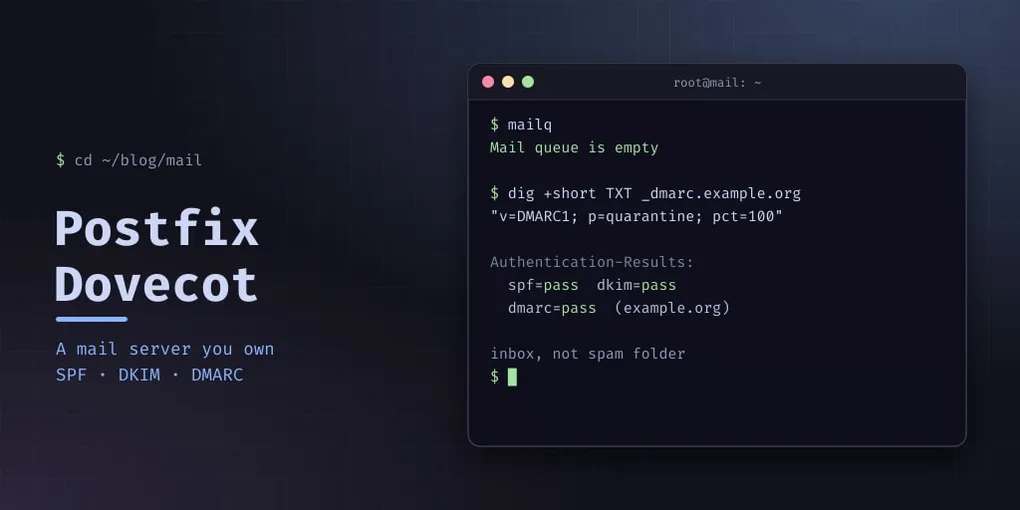
Self-hosting email has a reputation, and most of it is deserved: it is the one service where getting the software right is the easy half. The hard half is convincing everyone else’s mail servers that you are not a spammer.
I run mine on a small VPS. This is the whole stack, and the parts that actually decide whether your mail arrives.
The pieces
Four moving parts, and it is worth knowing which one you are debugging before you start:
- Postfix — the MTA. Accepts mail from the internet on port 25, sends your outgoing mail, and hands anything local to the delivery agent.
- Dovecot — the MDA and IMAP server. Puts mail in Maildir, serves it to your client over IMAP, and doubles as the SASL provider so Postfix can authenticate submission.
- OpenDKIM — signs outgoing mail with a key in your DNS, so the recipient can prove it was you.
- Roundcube — webmail, if you want a browser in the loop.
You also need things that are not software: port 25 outbound (many providers block it, and some will unblock it on request), a reverse DNS record you control, and a domain.
Before you install anything
That PTR record is not optional. If your server’s IP resolves to something like vps-1234.hosting-provider.net, you can have flawless SPF and DKIM and you will still be filtered — a generic hosting PTR is the single strongest spam signal there is. Set it to mail.example.org so it matches your HELO name, and set it before you start sending.
Postfix
apt install postfix postfix-pcre dovecot-core dovecot-imapd opendkim opendkim-toolsThe settings that matter, out of a working main.cf:
myhostname = mail.example.org
mydomain   = example.org
myorigin   = $mydomain
mydestination = $myhostname, $mydomain, localhost.$mydomain, localhost
inet_protocols = ipv4
home_mailbox = Maildir/

# Reject relay attempts, but let authenticated users through
smtpd_relay_restrictions = permit_mynetworks, permit_sasl_authenticated, defer_unauth_destination

# TLS
smtpd_tls_cert_file = /etc/letsencrypt/live/mail.example.org/fullchain.pem
smtpd_tls_key_file  = /etc/letsencrypt/live/mail.example.org/privkey.pem
smtpd_tls_security_level = may

# Hand everything to OpenDKIM
smtpd_milters     = inet:localhost:8891
non_smtpd_milters = inet:localhost:8891
smtpd_relay_restrictions is the line that keeps you from becoming an open relay. Get it wrong and you will be found and abused within days — an open relay is the fastest way to lose your IP’s reputation permanently, and it happens before you send a single legitimate message. Read it left to right: relay for the local machine, relay for clients that have authenticated, and refuse any other recipient outside your own domains. defer_unauth_destination refuses with a temporary 4xx; reject_unauth_destination is the permanent 5xx variant. Nothing else gets relayed.
smtpd_tls_security_level = may is opportunistic TLS. encrypt is stricter and will refuse connections from senders that cannot do TLS — which in practice means losing mail from badly configured senders on the internet, so most people running a small server use may and let outbound rules do the enforcing.
Dovecot
Dovecot serves IMAP over TLS (993) and provides the SASL socket Postfix uses on submission (587):
protocols = imap pop3
ssl = required
ssl_min_protocol = TLSv1.2
ssl_server_cert_file = /etc/letsencrypt/live/mail.example.org/fullchain.pem
ssl_server_key_file  = /etc/letsencrypt/live/mail.example.org/privkey.pem
mail_driver = maildir
mail_path   = %{home}/Maildir
mail_privileged_group = mail
ssl = required rather than yes: it refuses plaintext instead of merely advertising STARTTLS. For IMAP logins that matters — a client that falls back to cleartext passwords because it can is exactly the client you do not want to accommodate.
Here the mail users are system accounts authenticated through PAM, so creating a mailbox means creating a Linux user, without a login shell:
adduser --shell /usr/sbin/nologin mailuser(With virtual users in a passwd-file instead, doveadm pw -s SHA512-CRYPT generates the hash to store there.) For an account that already exists:
usermod -s /usr/sbin/nologin mailuserA mail account that can log in over SSH turns one leaked password into a complete compromise. Mail accounts should have no shell, ever.
OpenDKIM
opendkim-genkey -b 2048 -d example.org -s mail -D /etc/opendkim/keys/example.orgThat generates mail.private and a mail.txt holding the public half. Point OpenDKIM at them:
Domain           example.org
Selector         mail
KeyFile          /etc/opendkim/keys/example.org/mail.private
Socket           inet:8891@localhost
Canonicalization relaxed/simple
relaxed/simple is the common choice: relaxed headers tolerates the small header rewrites that happen in transit, and simple body is strict, so a body modified anywhere is detectable. Signing with a simple header canonicalization is a great way to have valid signatures rejected — every forwarding hop rewrites headers.
The DNS records decide everything
Five records. Four of them are the reason your mail arrives or does not.
| Record | Value |
|---|---|
MX |
10 mail.example.org. |
mail.example.org A |
your server’s IP |
_dmarc TXT |
v=DMARC1; p=quarantine; pct=100 |
mail._domainkey TXT |
v=DKIM1; h=sha256; k=rsa; p=<public key from mail.txt> |
root TXT (SPF) |
v=spf1 ip4:<your server IP> -all |
Two details worth pausing on. In SPF, -all means hard fail — any server not in your list is explicitly not allowed to send as you. That is what you want once you are confident in your list, and it is why an unmaintained SPF record causes silent mail loss. And DMARC p=quarantine tells receivers to junk mail that fails both SPF and DKIM, which only makes sense once the first two records are right.
Start at p=none, watch the aggregate reports for a week, then tighten. Jumping straight to p=reject on a domain with other senders — a newsletter platform, a CRM, your own laptop — silently starts binning legitimate mail, and nothing in the logs will tell you.
Roundcube
Roundcube is a PHP application; with PHP-FPM and a vhost it is a ten-minute install, and it should be its own subdomain with its own certificate. The important part is the config. In Roundcube 1.6, imap_host is ssl://mail.example.org:993 and smtp_host is tls://mail.example.org:587 (older releases called them default_host and smtp_server, with a separate smtp_port). Give it an IMAP connection over TLS and never let it fall back to plaintext.
Verifying it actually works
Do not trust “the mail sent”.
dig +short MX example.org
dig +short TXT example.org
dig +short TXT mail._domainkey.example.org
dig +short TXT _dmarc.example.org
dig +short -x <your server IP>          # must return mail.example.org

openssl s_client -connect mail.example.org:993 -servername mail.example.org </dev/null 2>/dev/null | openssl x509 -noout -dates
Then send a real message to a Gmail address and look at Authentication-Results in the headers it comes back with. All three of spf=pass, dkim=pass, dmarc=pass is the only thing worth calling a success.
Pitfalls
- No PTR, or a hosting-provider PTR. Set it first. Nothing else compensates.
- An open relay. Check
smtpd_relay_restrictions, then verify from outside:telnet mail.example.org 25and try to relay to an unrelated domain. It must be refused. - Selector mismatch. The DNS record name must be
<selector>._domainkey.<domain>and must match theSelectorin OpenDKIM. A signature that cannot be looked up fails silently — the mail sends, it just does not arrive. - Key too small. 2048-bit RSA minimum; 1024-bit keys are treated as suspect.
- Accounts with a shell.
nologin, always. - Port 25 outbound blocked by your provider. Symptoms look like a queue full of deferred mail. Check
mailqbefore debugging anything else. - Dovecot’s default SSL settings changing between versions. Re-read the config after major upgrades instead of trusting your old file — Dovecot 2.4 renamed several directives, so an unchanged config is not necessarily the same config.
Is it worth it?
For the cost of a small VPS, yes — with a caveat. You will spend an afternoon on DNS and an evening on deliverability, and you will learn more about how email actually works than a decade of using someone else’s SMTP relay would teach you. What you get is a mail server nobody can rate-limit, suspend, or read.
If you need it to work by tomorrow, use a relay. If you want to understand it, host it.