~/blog/loki-retention-boltdb-tsdb
Loki's Retention Kept Failing: Midnight Chunks and the Move to TSDB
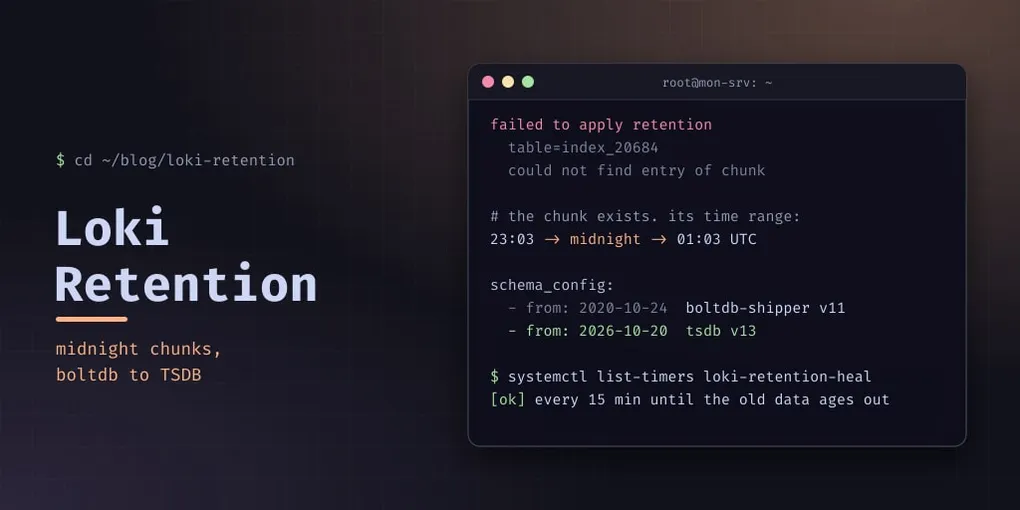
Loki keeps my logs for 60 days. Every few weeks, an alert said it had stopped doing that:
level=error msg="failed to apply retention"
  table=index_20684
  err="could not find entry of chunk fake/8c447f75f2bb29ad:1a0171d4039:1a0178b1dbc:caa17911 to remove it"
I fixed it three times before I understood it. This is the fourth fix, the one that should be the last.
The wrong explanation
The first time it fired, the story was easy to believe. Loki’s data had once been moved from /tmp/loki to a proper directory, and some chunks had probably been lost along the way. The index pointed at chunks that no longer existed, so retention couldn’t delete them.
So each time, I moved the failing index table into a quarantine folder and the alert cleared. A week or two later it came back on the next table. The story survived because the fix worked.
What was actually happening
The fourth time, I checked the story. I decoded the chunk name from the error and looked for the file. It was there, 4.4 KB, written on the day in question. Nothing was lost.
The chunk ID carries its own time range: the two hex fields after the fingerprint are the first and last timestamps, in milliseconds. Decoded, they gave 23:03 to 01:03 UTC.
The chunk crossed midnight. Loki’s old index store, boltdb-shipper, writes one index table per day, so a chunk that spans two days is indexed in both. When retention rewrites the older table to drop expired entries, it can’t find that chunk’s entry where it expects it, and gives up on the whole table.
Giving up had a second effect I hadn’t noticed: a failing table blocks retention of every older table. Seven tables already past the 60-day limit were still on disk behind the failing one. Retention wasn’t failing on one day; it had stopped.
boltdb-shipper is deprecated in Loki 3.x for weaknesses like this one. The fix is to stop writing it.
The lasting fix: a new schema period
Loki’s schema_config is a list of periods, each with its own store and schema. You can’t change a period that already holds data, but you can add one that starts in the future:
schema_config:
  configs:
    - from: 2020-10-24
      store: boltdb-shipper
      object_store: filesystem
      schema: v11
      index:
        prefix: index_
        period: 24h
    - from: 2026-10-20          # tomorrow: never a date that already has data
      store: tsdb
      object_store: filesystem
      schema: v13
      index:
        prefix: index_tsdb_
        period: 24h

storage_config:
  tsdb_shipper:
    active_index_directory: /var/lib/loki/tsdb-shipper-active
    cache_location: /var/lib/loki/tsdb-shipper-cache
Check it before restarting, because a Loki that won’t start means no logs from anywhere:
loki -config.file=/etc/loki-config.yaml -verify-configFrom midnight UTC on the new date, new data goes into TSDB tables (index_tsdb_<day>), and old data stays readable through the boltdb period. Queries spanning both work transparently. Once the last boltdb data passes 60 days, the old period can be removed.
There is one catch, and it is why this post doesn’t end here: until then, the old tables can still fail. Sixty days is a long time to keep fixing them by hand.
Covering the transition: a self-healing timer
The manual fix had always been the same steps:
- Stop Loki (about 10 seconds).
- Move every boltdb index table up to and including the failing one into a quarantine folder.
- Start Loki.
- With Loki running, move the chunk files whose data ended before the retention cutoff. Nothing indexes them any more, so this is safe while it runs.
I’d written that as a script, so I put it on a timer. Every 15 minutes, loki-retention-heal reads the last 30 minutes of Loki’s journal. If it finds failed to apply retention … table=index_N, it does the four steps for N.
The guards matter more than the happy path, because the script stops a shared service and moves data:
- N must already be past retention. A failing table that is still inside the 60 days is refused: that would be a different bug, and moving it would lose live data.
- The quarantine must be on another filesystem, and must have at least 2 GiB free. Otherwise it refuses.
- Every run gets its own folder with a
MANIFEST.tsvof what moved where and arestore.shthat puts it back. DRY_RUN=1prints the plan and touches nothing. Before turning the timer on, I fed it four saved journal samples: no failure, a boundary table, a table still inside retention (refused), and a table already moved.- It logs to syslog, so its own decisions are in Loki like everything else.
The alert changed with it. “Loki Retention Failure” used to fire immediately; it now waits 45 minutes. That is three timer runs, so it only reaches me if the self-heal failed.
The numbers
Over the four occurrences, the quarantine collected 28 index tables and more than 15,000 chunk files that retention should have deleted. It’s all on the backup disk with a manifest, in case I ever need a log line from August.
Changing the schema and clearing the backlog cost one 7-second Loki stop. All ten hosts were shipping again within 20 seconds, and a query 50 days back still returned data.
Pitfalls
- “Chunks were lost” is a guess until you look for the chunk. Decode its name and check the file before building a fix on the story.
- A chunk crossing midnight UTC lands in two daily boltdb tables. That’s the root of this retention failure.
- One failing table stalls retention for everything older. The disk use creeps up while the alert names a single table.
- A new schema period must start in the future. Never edit or backdate a period that holds data.
-verify-configbefore restarting. Loki down means every host’s logs queue or drop.- A self-heal needs a dead-man switch. Delay the alert to longer than a few heal cycles rather than removing it.
- Remember to take it down. When the last boltdb table ages out, disable the timer, remove the old period, and put the alert back to immediate.